
Most companies’ first AI deployment is a single chatbot wired to a single model. It works fine in the pilot. Then thirty people start using it for thirty different jobs, and it starts failing in ways a bigger prompt can’t fix.
The failure mode isn’t the model. It’s the architecture. A single conversational agent has no concept of specialized tools, no per-user permission boundary, no cost ceiling, and no way to keep a shared knowledge base current without someone manually re-uploading files. Scaling it past a demo means solving problems a chatbot was never designed to solve.
This is where multi-agent architecture earns its keep — not as a buzzword, but as the actual engineering answer to running AI as production infrastructure for an engineering organization, not a toy.
Why the Single-Chatbot Model Breaks at Scale
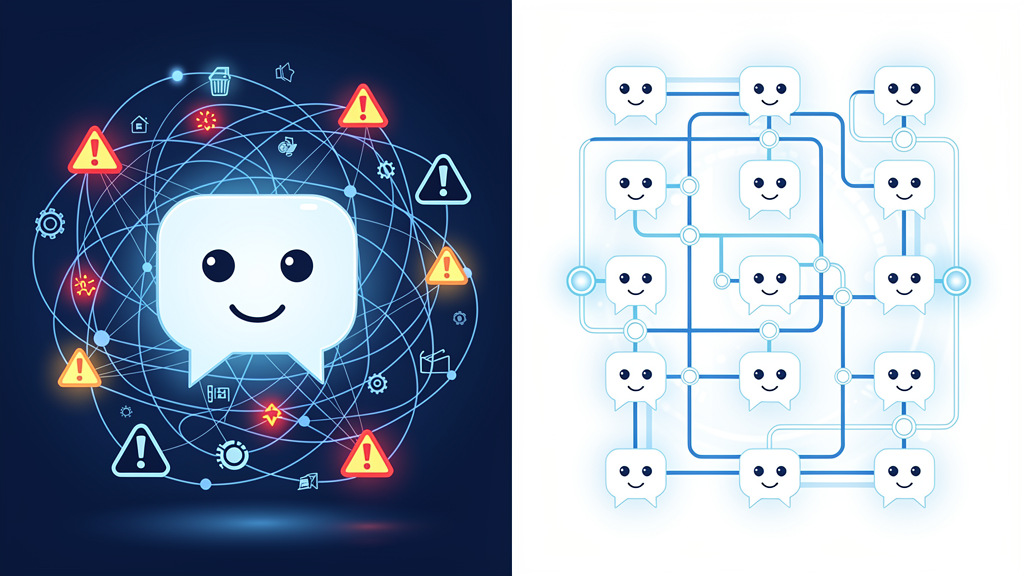
Four failure patterns show up almost every time a single-agent pilot tries to become a company-wide platform:
- No tool specialization: one general-purpose agent asked to also generate slide decks, parse spreadsheets, and search a document repository does all three worse than a purpose-built tool would
- No permission boundary: every user shares the same context and the same access — there’s no clean way to give one team read access to a knowledge base and another team write access to a reporting tool
- Knowledge goes stale: without an ingestion pipeline, “the AI knows about our documents” means someone manually pasted them in months ago
- Cost is invisible until the invoice arrives: without per-user or per-team metering, there’s no early warning before a shared API key burns through budget
The Architecture Blueprint: Five Layers
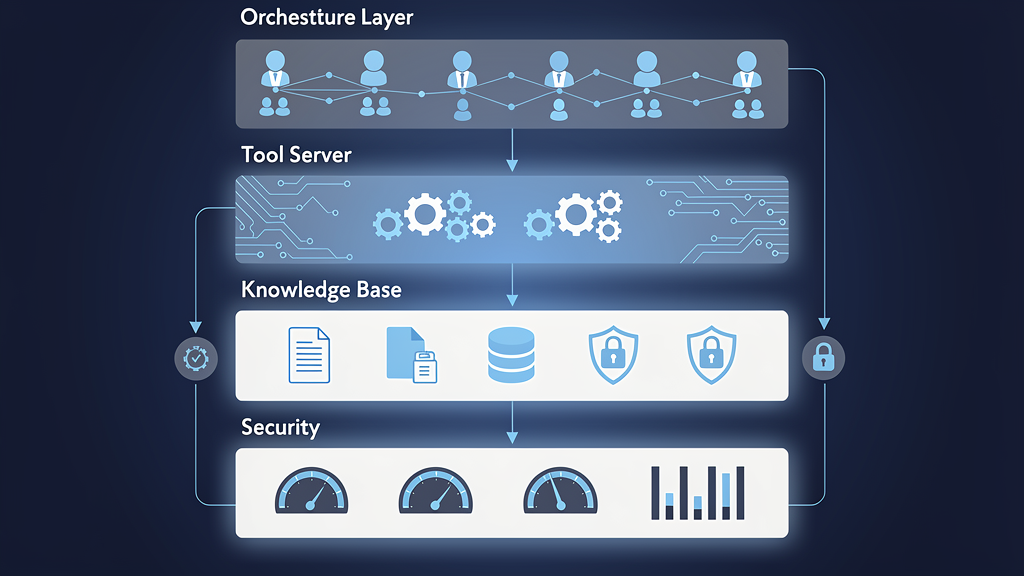
A production-grade multi-agent platform for an engineering organization needs five distinct layers, each solving a problem the single-chatbot model can’t:
1. Orchestration Layer — Personal Agents + Shared Agents
Every user gets their own agent instance with its own conversation history and permissions, provisioned automatically on first login — not a shared session everyone dumps prompts into. Alongside personal agents, a small set of shared specialized agents (a knowledge-base agent, a document-generation agent) handle tasks that don’t need per-user isolation.
2. Tool Layer — MCP Servers for Specialized Work
Rather than one model trying to do everything, a set of dedicated tool servers (using the Model Context Protocol pattern) handle specific job categories: slide deck generation, Word/Excel document processing, presentation building. Each tool server does one job well and can be upgraded or replaced independently of the orchestration layer.
3. Knowledge Layer — Continuous Auto-Indexing RAG
A retrieval-augmented generation pipeline that watches a shared document repository and re-indexes automatically — PDFs, Word docs, spreadsheets, presentations — so new documents become searchable within minutes of being uploaded, not after a manual re-training pass.
4. Security & Governance Layer
Enforced authentication (not optional), rotating JWT tokens, invite-only registration, and active monitoring with real-time alerting when something looks wrong. This is the layer most pilot projects skip entirely — and the one that makes IT and security actually sign off on company-wide rollout.
5. Cost Governance Layer
Per-user token budgets with automatic weekly replenishment, tiered by role (standard users get a baseline allocation, admins get more), plus usage reporting that shows exactly where spend is going before it becomes a surprise line item.
What This Isn’t: A Bigger Prompt
It’s worth being direct about the boundary here too:
- Architecture decisions still need senior engineering judgment — which tasks get a dedicated agent versus a shared one, where the permission boundaries sit, isn’t something you can prompt your way into
- Security review is a human responsibility — auth design, token rotation policy, and access control need a qualified engineer’s sign-off, not just “the AI said it was fine”
- Production operations still need monitoring discipline — uptime monitoring, service health checks, and incident response are standard infrastructure practice, not something AI automates away
The right framing: multi-agent architecture is infrastructure engineering applied to AI, not a prompt engineering trick. Teams that treat it as the latter end up with exactly the fragile single-chatbot pilot this article opened with.
Implementation Path: Where to Start
- Start with one shared agent and one specialized tool server: prove the orchestration and tool-calling pattern works before adding per-user personal agents
- Add the knowledge layer before scaling users: an auto-indexing RAG pipeline is easier to build right the first time than to retrofit once dozens of people depend on stale search results
- Bake in auth and cost metering from day one: retrofitting security and budget controls onto a platform already in daily use is far more disruptive than building them in from the start
- Instrument everything before the first incident, not after: monitoring and alerting need to exist before the platform matters enough for an outage to hurt
KPO Model: Multi-Agent Platforms as an Outsourced Build
If your engineering team doesn’t have the bandwidth to design and operate this stack internally, KPO outsourcing is the alternative — and it’s exactly the kind of platform AQUANEST has already built and operates.
A recent build for a Tier-1 manufacturing engineering organization, sized to make the architecture concrete:
- 100 engineers using personal AI agents plus shared agents for mind-mapping, presentations, PDF/PPT reporting, and spreadsheet work
- Under 1 minute automatic provisioning time for a new user’s personal agent
- 4 dedicated MCP tool servers: Marp (presentations), python-pptx, python-docx, openpyxl
- Continuous document indexing: every 15 seconds, so newly uploaded PDFs, Word docs, spreadsheets, and presentations become searchable almost immediately
- Enforced auth, rotating JWT tokens, invite-only registration, with monitoring and real-time alerting on anomalies
- Per-user token budgets with automatic weekly top-ups (1M tokens/week standard, 10M for admins), plus usage reporting
- Production operations: 8 Windows services under full uptime monitoring
AQUANEST designs, builds, and operates this stack end to end — architecture, tool servers, security, and cost governance — so your engineering team gets the platform without carrying the operational load of running it.
Further reading: AI-Powered QA: Auto-Generated Test Cases and Continuous Regression
Conclusion: Architecture Is the Difference Between a Demo and a Platform
A single chatbot can win a demo. It can’t run as infrastructure for a hundred engineers with different jobs, different permissions, and a shared budget to manage. Multi-agent architecture — personal and shared agents, specialized tool servers, continuous knowledge indexing, enforced security, and cost governance — is what separates a pilot that stalls from a platform that scales.
If your team is past the single-chatbot pilot stage and needs a production-grade multi-agent platform that IT will actually approve, AQUANEST can design and operate it for you.